Article · AI & Agents
The Future AI Hub: Architecture for a Multi-Model Enterprise
By Caleb · October 27, 2026
Most companies now have an AI story. Fewer have an AI architecture. The difference shows up the second time a model changes, the first time an auditor asks where customer data went, and the month the API bill arrives with three extra digits.
The organisations that handle those moments well converge on the same pattern: an internal AI hub. Not a chatbot, not a single vendor contract, and not a committee. A hub is the shared control plane that lets product teams build AI features without each one reinventing security, cost control, and evaluation.
This is what a durable AI hub looks like, and how to build one without turning it into a two-year platform programme.
What an AI hub actually is
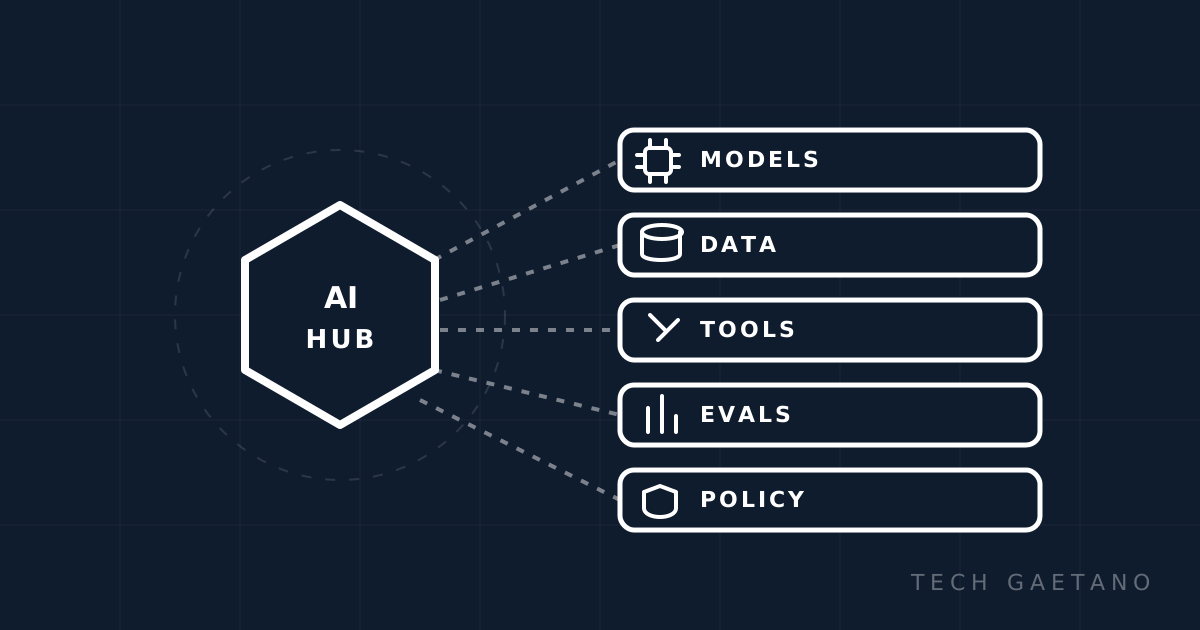
An AI hub is the set of shared services between your applications and the models they use. It typically owns:
- Identity and access: who can use which model, with what data.
- A model gateway: one API in front of multiple providers and model versions.
- A context and tool layer: standard connectors to internal systems, usually through MCP.
- Retrieval and data access: permission-aware search over your own content.
- Evaluation: datasets, scoring, and regression gates.
- Observability: traces, prompts, costs, latency, and quality signals.
- Policy and guardrails: data handling, output filters, human approval.
- FinOps: budgets, routing, caching, and chargeback.
Product teams consume these services and focus on the workflow, not the plumbing. That separation is the whole point.
Why model churn breaks point solutions
The model landscape changes faster than most procurement cycles. New versions arrive quarterly, prices fall, capabilities shift, and vendors deprecate endpoints with limited notice. A company that hardcodes one provider into five applications has five migrations to run every time something changes.
The hub absorbs that churn. Applications call a stable internal interface. The gateway decides which provider and model to use, applies policy, and records the result. When a better model appears, you change a routing rule and run the evaluation suite, not five codebases.
This is the same argument that produced API gateways and service meshes. The details differ; the economics do not.
The reference architecture
1. Identity and access
Everything starts with a real identity. Use your existing identity provider for human access, with SSO and phishing-resistant MFA. For applications, issue workload identities rather than shared API keys. Enforce role-based or attribute-based access at the hub: a support agent should not be able to invoke a tool that moves money.
Log every request with the user, application, model, tool calls, and data classification. If you cannot answer "who asked the model to do that?" you are not ready for production.
2. Model gateway
The gateway is the most important component. It should provide:
- A single API shape across providers.
- Routing by task, cost, latency, or data sensitivity.
- Fallback when a provider is degraded or rate-limited.
- Caching for repeated prompts and deterministic queries.
- Quotas and per-team budgets.
- Prompt and response logging with redaction.
- Version pinning and canary rollout.
Buy a mature gateway if one fits your requirements. Building one from scratch is a surprisingly deep project, and the differentiation is in your workflows, not in proxy code.
3. Context and tool layer
Models are only useful when they can reach your systems. MCP has become the practical standard for this: define a tool once, expose it to any compatible host, and keep authorization inside the server.
Rules that keep this layer healthy:
- One MCP server per system, not per AI client.
- Thin servers that call existing REST or gRPC APIs.
- Explicit scopes and per-user permission checks.
- Versioned tool descriptions, treated like API contracts.
- Human approval for destructive actions.
- Audit logs for every invocation.
Do not expose raw database queries as tools. The convenience is not worth the blast radius.
4. Data and retrieval
Retrieval quality determines answer quality. A hub should standardise chunking, embeddings, hybrid search, and freshness policies, while letting teams choose the store that fits their workload.
The hard part is permissions. Retrieval must respect the same access controls as the source system, at query time. Filtering after retrieval leaks information through citations and summaries. Indexing a document once and serving it to everyone is a compliance incident waiting to happen.
5. Evaluation
Every serious AI team eventually learns the same lesson: demos lie, and vibes do not survive a model upgrade. A hub needs evaluation as a shared service.
At minimum:
- A golden dataset per high-value workflow.
- Task-specific metrics: correctness, groundedness, refusal accuracy, latency, cost.
- Automated scoring with human calibration on a sample.
- Regression gates in CI for prompt, model, and tool changes.
- Online monitoring for drift and user feedback.
Evaluation is not a one-time benchmark. It is how you make model changes safe.
6. Observability
Traditional APM does not capture what matters here. You need traces that include prompts, model versions, token counts, tool calls, retrieval results, and outcomes. OpenTelemetry's generative AI conventions are a reasonable starting point, though the space is still maturing.
Dashboards should answer:
- Which features cost the most per successful task?
- Where does latency come from: retrieval, tools, or inference?
- Which prompts fail most often, and for whom?
- Did quality change after the last deployment?
Without this, cost and quality debates become anecdotal.
7. Policy and guardrails
Policy belongs in code, versioned and tested. Classify data, define which models may process which classes, and enforce residency requirements at the gateway. Add input and output filters for sensitive categories, but do not pretend filters are a security boundary.
High-risk actions need human approval, not just a confident model. The hub should support approval workflows, rate limits, and a kill switch per tool or application.
8. FinOps
AI costs are usage-based, which means they are invisible until they are a problem. Give every application a budget, tag every request, and route aggressively:
- Small models for classification, extraction, and routing.
- Frontier models for reasoning and code changes.
- Caching for repeated questions.
- Batch processing for non-interactive work.
- Distillation or fine-tuning when volume justifies it.
Chargeback, even soft chargeback, changes behaviour. Teams that see their spend make better choices.
Build versus buy
Buy the commodity layers: gateway, observability, secret management, and generic guardrails. Build the differentiating layers: domain tools, retrieval pipelines over proprietary data, evaluation datasets, and the user experience.
The trap is buying a "hub" that owns your data and tools, then discovering that switching costs more than building. Keep the interfaces open, especially at the tool layer, and insist on data portability.
MCP as the integration seam
MCP is valuable precisely because it is not owned by one model vendor. It gives you a stable boundary between AI hosts and internal systems, which is where lock-in usually hides.
Treat MCP servers as production services: version them, test them, monitor them, and review changes to tool descriptions. A tool description is a prompt, and a prompt change can change behaviour. Review it like code.
Operating model: evals as CI
The healthiest teams run AI changes through the same discipline as software changes. A prompt edit opens a pull request. The evaluation suite runs. A human reviews the diff and the scores. A canary rollout watches online metrics. A rollback is one click.
This sounds heavy until you compare it with the alternative: a prompt change that quietly degrades support answers for a week because nobody measured.
A 90-day starting plan
Weeks 1-2: inventory. List the AI use cases in flight, the data they touch, the models they use, and the money being spent. Identify the two workflows with the clearest business value.
Weeks 3-6: foundation. Stand up the gateway, connect SSO, add logging and budgets. Pick one provider as primary and one as fallback. Do not build a custom abstraction yet.
Weeks 7-10: context and evaluation. Build MCP connectors for the two most important internal systems. Create a golden dataset for the pilot workflow and automate scoring.
Weeks 11-13: pilot. Ship one workflow with guardrails, approval steps, cost caps, and a dashboard. Measure task success, latency, and cost per successful task. Decide whether to scale, fix, or stop.
A 12-month roadmap
After the pilot, expand in this order: multi-model routing, retrieval platform, chargeback, agent runtime with sandboxing, red-team exercises, and formal certification against your security framework. Resist the urge to build an "agent marketplace" before you have two reliable agents.
Anti-patterns to avoid
- Chatbot-only strategy. A chat box is an interface, not an architecture.
- Single-model bet. Even the best provider has outages and price changes.
- Per-team API keys. You lose cost attribution and revocation.
- No evaluation. You are shipping on vibes.
- Tool sprawl. Twenty overlapping connectors is a security and maintenance tax.
- Treating MCP as a security boundary. It is not; enforce authorization in code.
- Platform theatre. A hub that ships no workflows has failed, regardless of its architecture diagram.
Bottom line
The future AI hub is not a product you install. It is a small set of shared services that make AI features safe, measurable, and cheap enough to scale. The winning design is boring: identity, a gateway, standard tools, permission-aware retrieval, evaluation, observability, and budgets.
Start with one workflow and two connectors. Prove the loop from prompt to evaluation to production. Then expand the hub around what actually worked. Architecture that follows delivery beats architecture that precedes it.
Visual field notes
The system at a glance
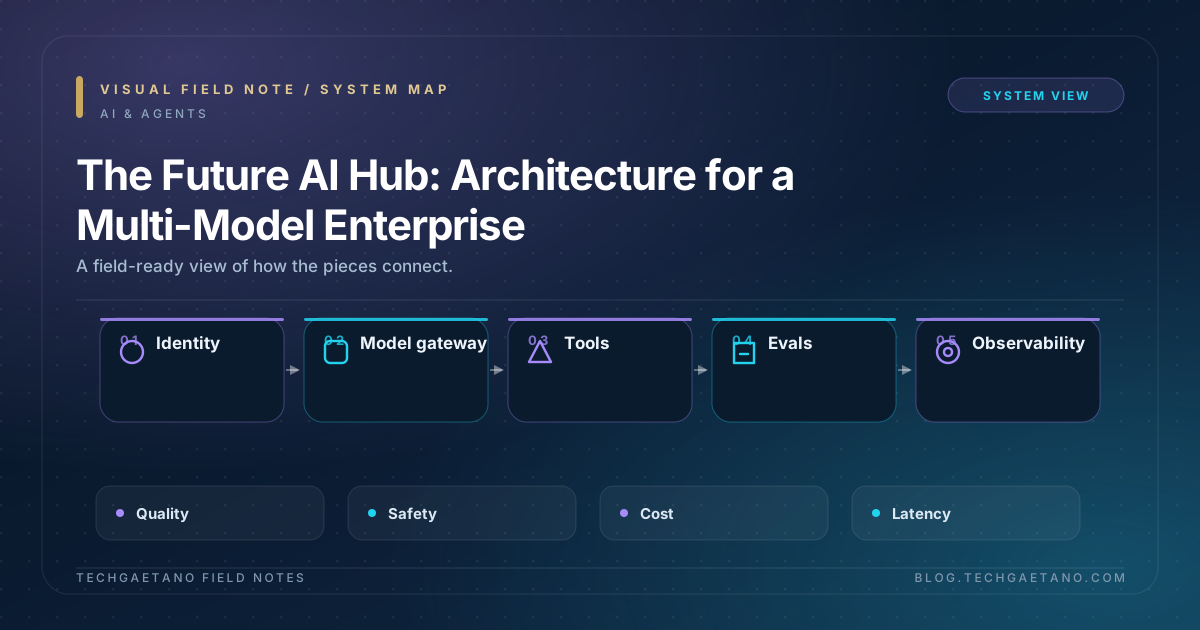
System map
How the moving parts connect, from first input to operating outcome.
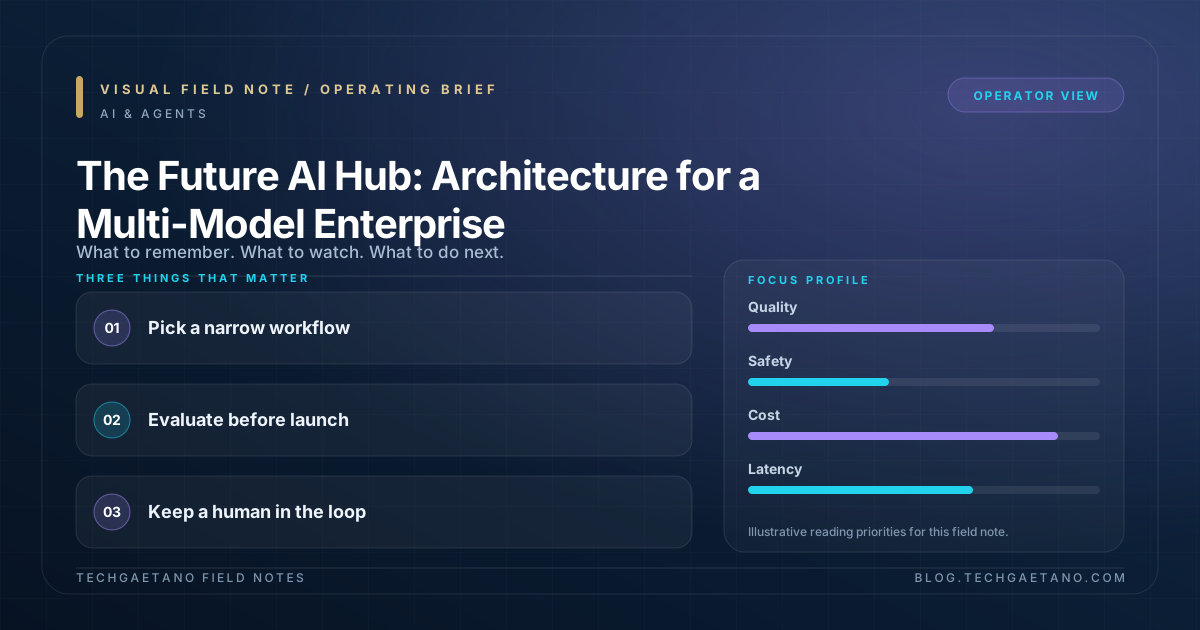
Operating brief
The three decisions that matter and the signals to watch.
Moving AI from prototype to production?
TechGaetano helps teams design agent architectures, secure tool access, and build evaluation and governance into the delivery lifecycle.
Discuss your AI platformFrequently asked questions
What is The Future AI Hub?
Most companies now have an AI story. Fewer have an AI architecture. The difference shows up the second time a model changes, the first time an auditor asks where customer data went, and the month the API bill arrives with three extra digits. The organisations .
How should a team get started with The Future AI Hub?
Start with a narrow workflow, define an evaluation set and success metrics, and keep a human in the loop for high-impact actions. Version prompts, tools, and model choices like any other production dependency.
What should teams avoid when working on The Future AI Hub?
The main risks are prompt injection through untrusted tool results, over-broad tool permissions, missing evaluations, and exposing production systems without audit trails or human approval.
Further reading
Related posts
Claude AI, Reviewed: A Practitioner's Verdict
Claude has crossed an important threshold. It is no longer the interesting alternative you try on a side project; for a growing number of engineering…
Read more
AI Governance for the Enterprise: From Principles to Operating Model
Most enterprises now have an AI principles document. It says the organization will be transparent, fair, accountable, and secure. It may reference hum…
Read more